Remote Development Environments in Azure
Lots of mature enterprises prefer their users to work off Virtual Desktop Infrastructure. Easier administration, lower latency to application servers and VDI typically being easier to secure are all reasons to do so. But what about developers?
Developers typically require more resources, need lots of software and lots of access to internal resources. This blog post details how I designed a Proof Of Concept (POC) for a Remote Development Environment, with the objective of it be more secure than performing local development whilst providing a great experience.
Requirements
The main requirements for the POC were to build a scalable Windows-based environment, where all the required development tools were pre-installed, and developers are easily able to access the solution with all of their files (cloned Git repositories etc) being available to them.
More details about what a production enterprise-ready solution towards the bottom of this post.
Designing
I decided to go with Azure Virtual Desktop for the infrastructure layer of this project. AVD automatically meets most of the requirements - we can deploy Windows-based images, it natively supports horizontal scaling, Azure Files can be used for user profile storage and Entra authentication works seamlessly. I could also have gone with Azure Virtual Machines (utilising VM Scale Sets for horizontal scaling), but I would then need to figure out persistent storage (FSLogix maybe?) and Entra authentication would be slightly more complex - whereas with AVD, all of this heavy lifting is done for me.
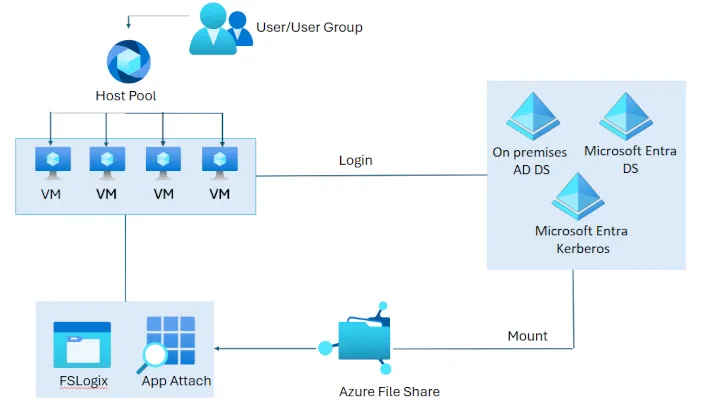
Instead of creating a Golden Image with a tool like HashiCorp Packer, which would have required additional infrastructure & additional steps to create the image, I decided to create a script that installed some development tools once the Session Host VM had booted. This added additional cold boot time, though for a POC solution this made sense.
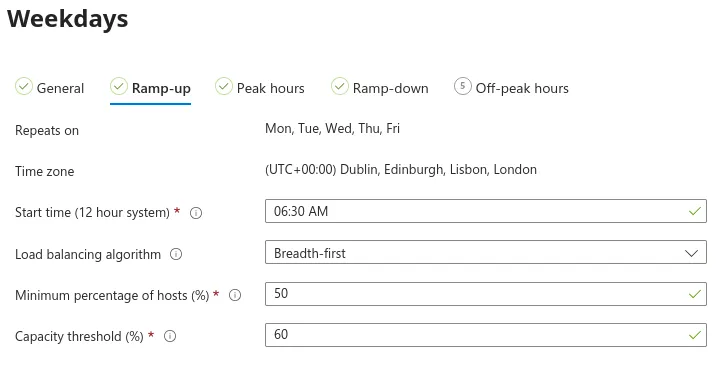
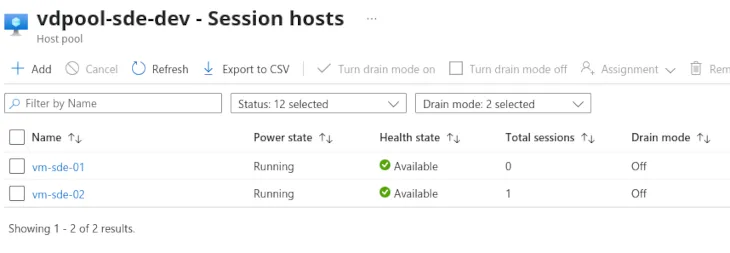
For the scaling configuration, Scaling Plans can be used - for this POC, a Schedule was created that increased the number of active hosts (from 1 to 2, though in production these numbers would be amplified greatly) during working hours, and scale down towards the end of the working day.
Issues
I ran into a few issues whilst designing, testing and deploying this solution in my development environment.
Entra authentication
Given that my personal Azure / Entra tenant doesn’t mirror a mature identity architecture, a few issues were to be expected when configuring Entra authentication. One of these issues was that by default, AVD expected an Entra-joined device to be authenticating to it, even when using the browser-based Windows App… my Linux (arch btw) laptop did not meet that critera.
Remote Development
Some IDE and code editors include Remote Development features (for example, VS Code & the JetBrains IDEs), which rely on SSH. Whilst Windows does support running an OpenSSH server, there’s no built-in Entra authentication (https://learn.microsoft.com/en-us/azure/virtual-machines/windows/connect-ssh?tabs=azurecli#authentication). Whilst workarounds may be available (one idea that may work - using Entra to authenticate to a Key Vault to retrieve an SSH key?), I decided to just focus on developers RDPing into AVD.
FSLogix
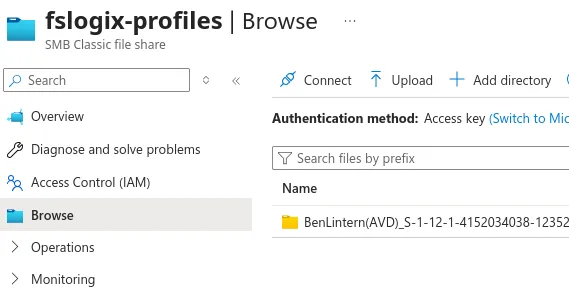
After integrating FSLogix via Azure Files, I noticed that User Containers were not being created (implying that FSLogix wasn’t working correctly).
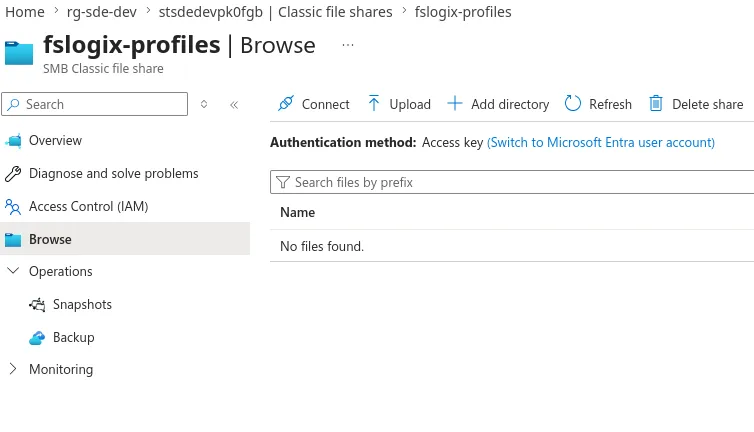
After looking at the FSLogix logs on one of the VMs, I noticed an authentication error. After some research, I realised this was due to my cloud-only identity being used for Kerberos authentication, which requires a tag being added to it’s application manifest (https://learn.microsoft.com/en-us/entra/identity/authentication/kerberos#group-sid-limit-in-entra-kerberos-preview). This wouldn’t be an issue if hybrid Active Directory is in use though.
 az rest --method PATCH \
    --uri "https://graph.microsoft.com/v1.0/applications/<appObjectId>" \
    --headers "Content-Type=application/json" \
    --body '{"tags":["kdc_enable_cloud_group_sids"]}'
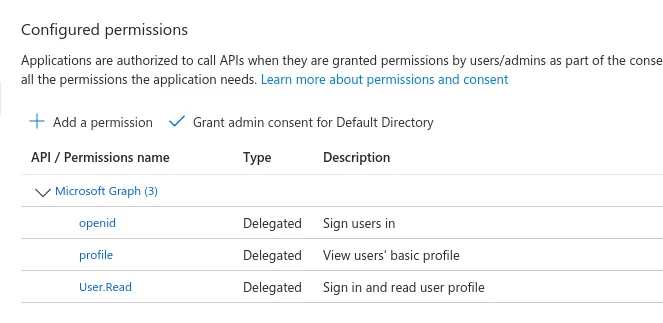
Note that the Storage Account’s App registration needs admin consent granting for the below permissions too.
Outcome
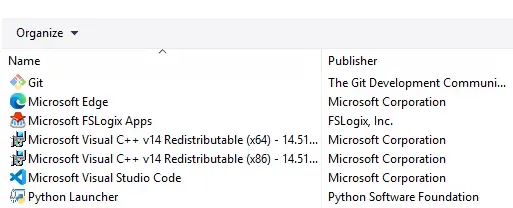
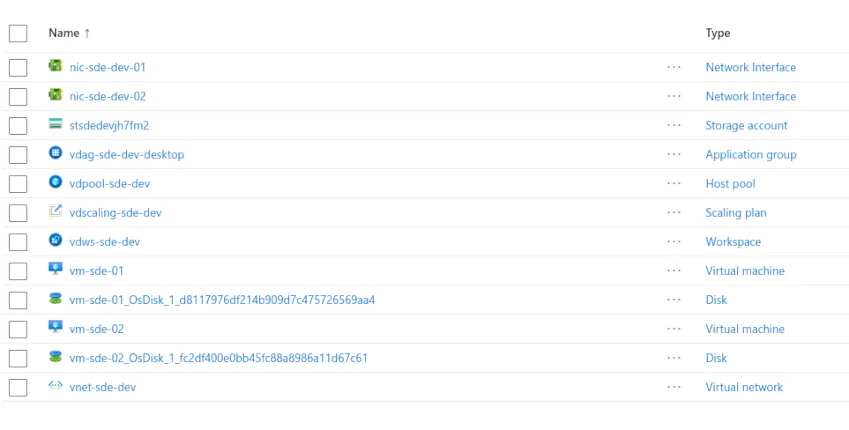
After deploying the infrastructure via Terraform, I was able to connect to my remote development environment, which had development tools installed (VS Code, Git & Python), and I could connect to any Session Host/VM and my user data was persisted via FSLogix.
Adjusting for a production deployment
As mentioned earlier, some adjustments should be made for an enterprise-ready production deployment.
Retricted network egress
As this was a POC, I deployed this in a standalone VNet - but for an enterprise deployment, this would be deployed in a hub and spoke network with an Azure Firewall. This allows us to utilise private networking instead of having the solution accessible via the internet, but also allows for restricting network egress (traffic to the internet).
One of the main risks associated with development is supply chain attacks - restricting egress traffic greatly mitigates this risk as the malware isn’t able to communicate to the C2 servers, whether that’s to pull down additional malware to run on the compromised machine or to exfiltrate credentials.
Low-latency connectivity
Whilst the performance of RDP over the internet was OK, I would prefer utilising ExpressRoute for an enterprise deployment if possible (especially when lots of users would be connecting).
ExpressRoute has a feature called FastPath that routes the traffic directly to the AVD Session Host, limiting the amount of network hops and therefore latency. FastPath is fairly straightforward to configure - enable the feature on the ExpressRoute Gateway and then confirm via Azure Monitor that the feature is being used.
Finally, in a heavily congested network, consider adding Quality of Service (QoS) rules on any network devices routing traffic (routers, firewalls, L3 switches) to prioritise RDP traffic appropriately.
Caching dependencies
To improve development experience & reduce unnecessary egress traffic, caches should be implemented for sources that development tooling will be pulling from.
For example, if Docker is being used, deploy an Azure Container Registry. This also gives the added advantages of being able to operate a container image allowlist, and will allow for vulnerability scanning on images being used.
Infrastructure as Code
The Terraform code used to build this POC will be added to my GitHub and linked below shortly.